Guide · 3 min read
How to install .drfx presets in DaVinci Resolve.
A .drfx file is a bundle of Fusion templates — titles, effects, transitions or generators. Installing one takes about a minute in DaVinci Resolve 18, 19 or 20, free or Studio.
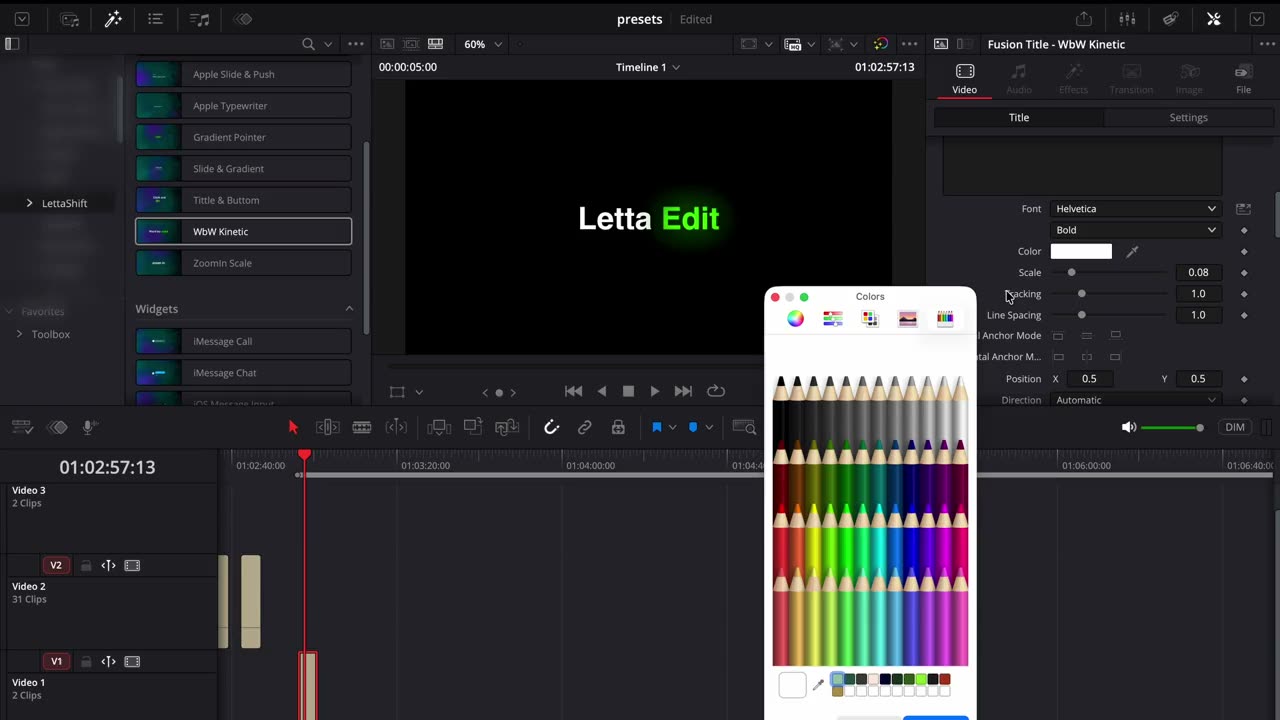 Watch it in real time1:48
Method 1: double-click (fastest)
- Install the fonts first, if your pack includes any. Double-click each font file and choose Install. Resolve only sees fonts that were installed before it launched.
- Double-click the .drfx file — or drag it onto the open DaVinci Resolve window.
- Resolve asks if you want to install the bundle. Click Install.
- Restart DaVinci Resolve.
- Go to the Edit page → Effects → Toolbox. The presets appear under Titles, Effects, Transitions or Generators, grouped by pack name.
Method 2: copy it to the Templates folder
If double-clicking doesn't work (older builds, managed computers), copy the .drfx into Resolve's Templates folder and restart Resolve:
- Mac:
~/Library/Application Support/Blackmagic Design/DaVinci Resolve/Fusion/Templates/ - Windows:
%AppData%\Blackmagic Design\DaVinci Resolve\Support\Fusion\Templates\ - Linux:
~/.local/share/DaVinciResolve/Fusion/Templates/
Create the Templates folder if it doesn't exist yet. On Mac, the Library folder is hidden: in Finder press Shift + Cmd + G and paste the path.
How to use a preset
- Titles and captions: drag the title onto a video track above your clip, then type your text in the Inspector.
- Effects and motion: drag the effect directly onto a clip, image or PNG on the timeline.
- Open the Inspector to change font, color, size, position and timing. You never need to touch the Fusion node graph.
Presets not showing up?
- Restart Resolve. New templates only load at launch.
- Check your version. Our packs need DaVinci Resolve 18 or newer.
- Look in the right panel: Edit page → Effects → Toolbox → Titles / Effects. Use the search field with the pack name.
- Text shows the wrong font? Install the included fonts and restart Resolve.
- Playback is slow? Fusion titles render in real time. Lower playback resolution (Playback → Timeline Proxy Resolution) or render-in-place long sections.
Still stuck? Email lettaedit@gmail.com with your Resolve version and a screenshot — we'll get you running.
Ready-made presets to install
Everything Letta Edit makes ships as .drfx and installs exactly like this. Start with caption presets, title templates or motion and effects presets — or get All-Access and have all of them.